Adding Owner Bills
- Select the correct
PortfolioandPropertyin the left menu. - Select
Expensesunder theAccountingmenu. - Enter the date, expense account, description, amount, and vendor. If this is a new vendor, select
Create Vendor.
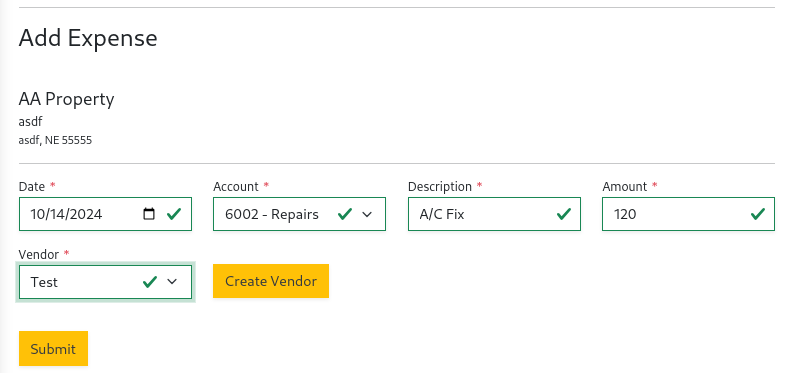
- After adding the expense, it will be listed in the
Pay Expensestable waiting to be marked as paid.
When an expense is waiting to be marked as paid it will show as a balance
in Unpaid Bills Amount in the Trust Account Balances report.
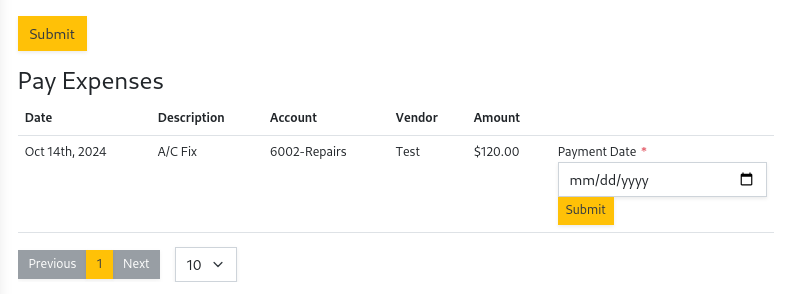
- After the payment to the vendor has posted, select
Payand the paid date to mark it as paid.
After marking as paid, the Trust Account Balances report will reduce the Unpaid Bills Amount by that amount.